The USB ports on the Macbook don't work
If you have a Macbook and you are having trouble getting a USB device to work correctly, we are going to help you below by offering you a series of solutions before you consider that you need to repair it.
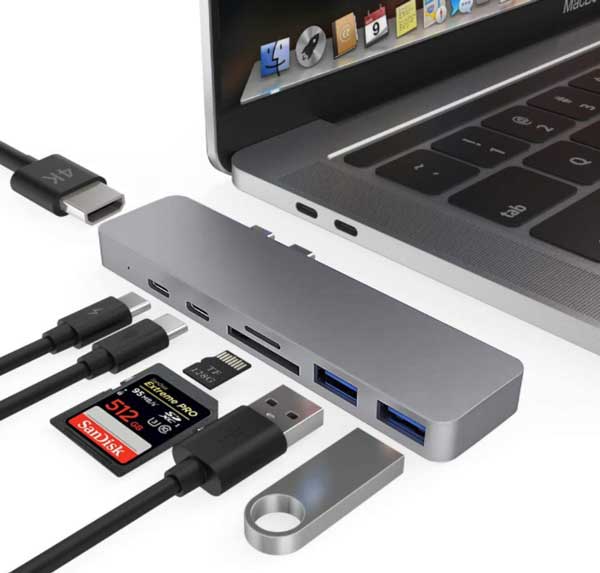
Nowadays, one of our great allies for storing photos, videos and all kinds of documentation are external USB drives. Especially if you work remotely or if you need to save data and be able to take it with you, it is essential to have a “stick” that we can always keep in our pocket.
But what can we do if it doesn't work when you go to use it? If you have a Macbook and you are having trouble getting a USB device to work correctly, we are going to help you below by offering you a series of solutions
If there is no way to get it to work, bring it as soon as possible to repair the MacBook at Irepairs Barcelona so you can keep using it without problems.
What to do if the USB doesn't work on the Macbook
- Check the connections. Is the USB device turned on? Some have a small light that lights up when inserted into a computer, which can be a clue as to whether or not it is working correctly. The Macbook has several USB ports, so you should also move the device to another port.
- Try another USB. If you have another external drive that you have regularly used on your Macbook, connect it to check whether the error comes from the laptop or from the USB itself. On the other hand, if you have more devices connected to it (for example, a keyboard or mouse), remove them to see whether it is one of them causing the conflict. If you use a low-quality USB, the problem is likely there, since sometimes the ports self-disconnect to prevent the drive from damaging the Macbook.
- Turn off the Macbook. If you have applications open, close them and try reading the external drive again. Still not working? Another resource you should try before thinking about whether it is necessary to repair your Macbook is to turn off the laptop. If you have it connected to power, unplug it too and wait a few minutes. Then restart and check whether it still does not read the USB.
- Possible updates. Sometimes it may be that your Macbook needs some update that you haven't done and it is one of the causes that prevent it from correctly reading the USB you are trying to insert.
- System information. Have you checked that the USB appears in “System Information”? You can look at it by going to the Apple menu and clicking on “About This Mac”. In “System Report” you will be able to see whether the external drive appears in the list on the left.
- Check the USB hub. If none of the previous options worked for you, we also recommend checking the USB hub to verify that the speed of the external drive and the hub are the same.
- Reset the SMC. The SMC or System Management Controller is a way to solve some problems with a Macbook. The first step is to turn it off, connect the power adapter and hold this command: Ctrl + Shift + Option and the power button. When you release the keys, restart the laptop and that way the SMC will also be reset.
- Reset the NVRAM. Another of the solutions you can try on your Macbook is to reset the NVRAM by pressing CMD + Option + P + R. A sound will be heard and the screen will flicker, then the Mac will start up as usual. What this does is reset the PRAM and NVRAM, which hold information about USB components.
Going to an Apple repair workshop
None of the previous options work? Then you need a professional to check your Macbook and find out what happened. One of the most frequent causes that make USB drives not read correctly on your Mac laptop is that water has been spilled on it. If this has happened to you and you thought it had not affected it, mention it to the repairer, since it was probably the main reason the external drives don't work.
At Irepairs we take care of any Macbook repair, from checking the problem with the ports to changing the fan, replacing the Superdrive reader, updating the operating system… But to be able to know what is wrong with it we need to first do a diagnosis and, for that, we need you to provide us with the device. Our price includes shipping and pickup costs, so the quote we give you will be a fixed one.
Do you want to know why the USB on your Macbook doesn't work? We offer you 12 months warranty! Trust our experience as an Apple technical service in Barcelona and we will help you solve the problem on any of the brand's models.