Mackeeper: Why not to use it and how to uninstall it
Mackeeper is a utility software suite for macOS that has tools for cleaning, security and optimization. An angel that protects and optimizes a system for s…
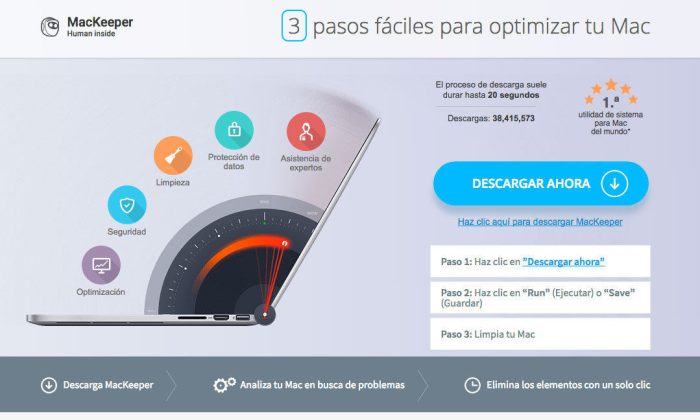
Mackeeper is a utility software suite for macOS that has tools for cleaning, security and optimization. An angel that protects and optimizes a system for some, a demon for others, who claim that it locks up the computer causing more problems than it claims to solve; we are going to try to clear up your ideas with a detailed description of the application, the myth and reality of this application.
This application is already a few years old, and it has had several controversies, from the aggressive marketing they have used, performing installations almost by deceiving users, with techniques that we could describe as not very honest; the company that markets it, ZeoBIT, has a rather extensive history of false advertising claims, up to all the lawsuits, lost, that they have had with the critics. Some MacKeeper ads were presented as online malware scanners that claimed to have found malware on the target computer, asking the user to download the tool, a technique often used by dishonest software, also known as malware.
The class-action lawsuit alleged that "neither the free trial nor the full registered versions of MacKeeper performed credible diagnostic tests"; this application reported that the Mac in question required repair and was in a situation of risk so that the user would install the application, making its subsequent removal difficult. Basically, the program was a deadly trap that served as a Trojan horse to add advertising, which slowed down the devices. They have lost all the lawsuits we know of precisely because it was not gratuitous defamation. The application caused many more problems than it promised to solve.
Why do we not recommend installing MacKeeper?
The application offers different services; the way they present it, it seems irresistible, a useful and free application in its trial version (or paid version):
- Clean our Mac: the program is supposed to free up space, delete the files in the trash, log files, residual files, caches… Although Mac OS already periodically runs tasks of this type in the background, deleting system files that are no longer necessary. In these "purges" the old information from log files or it deletes certain temporary elements, which means the application is completely unnecessary.
- Improving the computer's performance: This program claims to improve performance, however it consumes a huge amount of resources, so it cannot possibly produce that result. The times we have used the application we have verified that, contrary to what they say, the application consumes resources without improving the performance of other applications, which means the effect is to slow down the computer and worsen any problem that may have existed previously.
- Improving the equipment's security: It is supposed to improve security, however there are multiple reports of the appearance of advertising and various malware that finish off the performance, a less secure machine over which we have less control than we have with Mac's default OS.
How can I uninstall Mackeeper from my Mac?
There are third-party applications that help uninstall malware and other programs that become entrenched, as is the case, and that in many cases are extremely difficult to uninstall. If it gives more problems than usual you can try other applications such as Ad-adware, however once the system is corrupted it is better to start again from scratch; if you need it we can reinstall your operating system and recover the files you need. The regular way is as follows:
- Close the Mackeeper application as you would close any other
- Open "Activity Monitor", look for the "Mackeeper" process and close it
- immediately afterwards we go to Finder>Applications to delete the application like any other
Once this is done it is advisable to check that the uninstallation has finished successfully; we will search around and restart to make sure the application is not in any folder or active in the "Activity Monitor".
How to prevent our Mac from getting infected with malware
The Mac operating system already incorporates multiple security measures, and each update adds new measures to avoid new threats. It is advisable to browse with certain precautions, even if we don't use Windows; the good old days when Macs were "invulnerable" passed a long time ago and there are already many specific threats for Apple, in addition to the generic ones that install advertising in browsers and so on:
- Do not use pirated software: it's a hassle if we don't want to spend a lot of money, however in the long run it can be a great investment; we don't know what modifications the crackers have made, and if we work with sensitive information we risk much more than slowing down the computer. It is essential to work with software from trustworthy providers with a good reputation.
- Install from official pages: Whether it's Apple's, Adobe's or whatever provider, try to avoid sources of little trust; some pages like Softonic include malware.
- Browser extensions: Whether from Safari, Firefox or Chrome, extensions are programs that can play the same tricks on us as any other program, they are a classic entry point.
Symptoms that we are infected with malware:
- When browsing the Internet, pop-up windows or pop-ads appear frequently. They are also low-reputation pages.
- The browser's home page and/or the default search engine were changed.
- Words with links appear that redirect to advertising pages.
- Ads embedded in third-party web pages, a classic being "You are the 1 millionth visitor and you have won a prize"
- Slowness and a drop in the Mac's performance.
In summary, if you have slowness problems with this application installed, the first thing you have to try is to uninstall it and try to clean every trace of it, clear the browsers' caches, extensions of dubious origin… Update your Mac and if it keeps giving problems contact us so we can guide you on the problem affecting your computer.