Upgrade your MacBook and extend its life
Apple has already unveiled its new MacBook, iPad and iMac models, but at launch price they are out of reach for many of those who would like to improve the…

Apple has already unveiled its new MacBook, iPad and iMac models, but at launch price they are out of reach for many of those who would like to improve their computer. We explain how you can extend its life.
If your MacBook, iMac, iMac Mini or Pro is no longer under warranty, is starting to show signs of fatigue and poor performance with some programs and takes a while to load macOS, it may be time to change it… Although Apple offers rather little for those who don't have much cash or don't want to fall into planned obsolescence.
Today's MacBook Pros are much more powerful, but instead of buying a new computer you can upgrade your old MacBook and give it several more years of useful life without giving up performance. The best thing is to expand the RAM memory and, if the computer is an older model and works with a mechanical hard drive, to change or add an SSD drive.
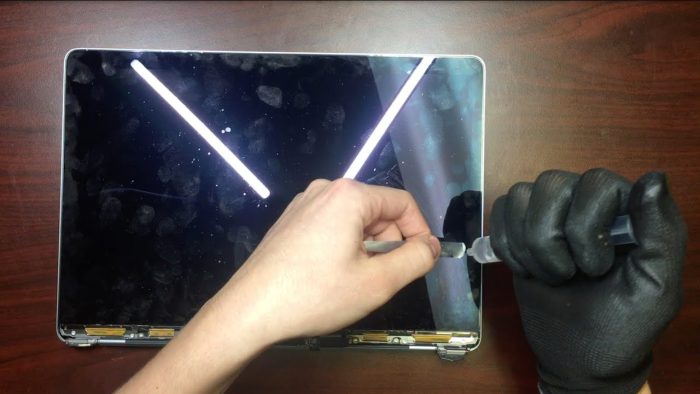
Many people take advantage of the repair to install an SSD hard drive and / or expand the RAM memory, since the processor they have is usually a high-quality Intel i7 that allows the computer to deliver very good performance over a long period of time. In addition, we carry out a check-up and cleaning, so the device gains a lot of time and speed for far less than what buying a new computer would cost.
SSD hard drives offer up to 10 times more speed than the original hard drive, and you can also move the computer while it is in use without fear of it getting scratched and losing your data, forcing you to recover deleted files from the hard drive. The proof is that all devices have been working with this type of hard drive for some time now, which is why we mainly carry out this hard drive upgrade on computers of the "older" versions.

RAM memory allows the computer to run more processes and it will be faster with all kinds of programs. If you want to do it, check which model you have to make sure it is not RAM soldered to the motherboard, as happens with some models.
Your computer will be checked, we perform basic maintenance and we let you know if we see any problem to prevent bigger issues, so by upgrading you can be saving your computer from future problems. There are several models that tend to fail on the graphics card; a preventive action could save you headaches at the worst moment
Ask us, let us advise you, we are the best solution for your apple.