What to do if our Macbook gets wet
An accident can happen to anyone, it is common to suffer slip-ups or small carelessness that can play bad tricks on us, like wrecking our Macbook and all t…
An accident can happen to anyone, it is common to suffer slip-ups or small carelessness that can play bad tricks on us, like wrecking our Macbook and all the data it stores…
In any accident, the most important thing is to stay calm and have quick reaction. If a liquid has spilled on top of the Macbook, we have to assess very quickly how to position the computer to prevent the liquid from continuing to seep in. Most people's first reaction is usually that, to try to turn it over. If it occurred to you to wipe it with a cloth without turning it over, you have probably helped more liquid get inside…
Once it is draining, we have a few seconds to evaluate the disaster. The fundamental thing is to prevent it from staying on if it did not turn off. We have to turn it off with the button and remove the battery (if it is a model with a removable battery) and/or the power connection immediately; if you have any accessory connected, disconnect it too. The less we leave it seeping liquid and with power, the more chances of saving it.

We don't have to worry about the work information because most of the information will be saved without any problem and we will have it available when we reconnect to the computer (yes, not everything is lost! You have to be optimistic).
After this scare, the best thing is to leave it draining:

What not to do if our Macbook gets wet
As we said before, a classic reaction we come across is that they have wiped it with a cloth without turning it over. And, due to gravity itself, by keeping it in the position in which the liquid fell, we allow the liquid to continue seeping in.
Another of the most common mistakes is trying to dry it with heat. Drying with a hair dryer or similar can overheat sensitive parts and damage them irreversibly. So we don't recommend ovens, nor putting it in the sun, nor anything like that…
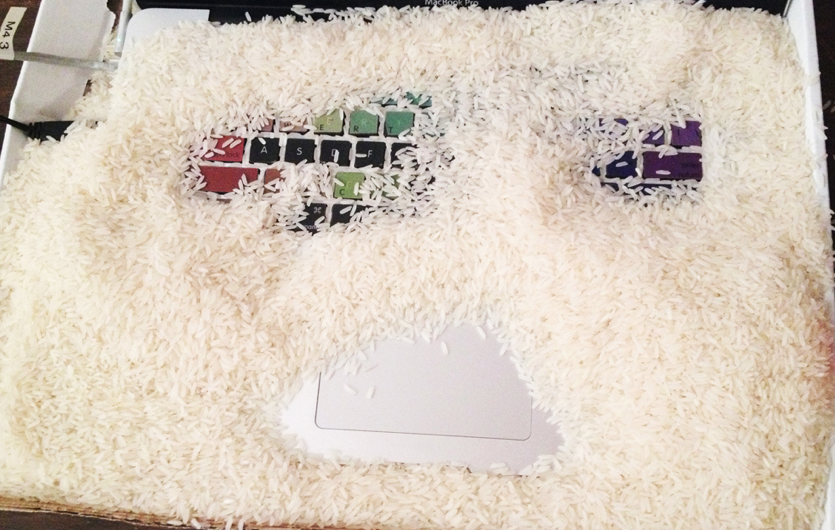
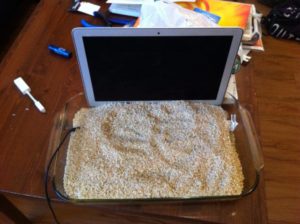
A very widespread technique is to finish drying it with rice. It is a practice that has been proven to absorb moisture, many people do it and it works; the thing is to get the best result, and rice is no more than a makeshift fix, plus rice usually comes with a fine dust that can make things worse. However, being careful not to let it slip into the gaps, for example, with a cloth or towel, it is a fairly safe practice.
However, whatever liquid falls, even if it is water, it leaves solid residue once dry, which is why it requires intensive cleaning to prevent the computer from deteriorating further. Turning it on again, even if it has dried, without cleaning it well is a big mistake. Residue may remain, especially if the liquid is coffee, juice or any drink that contains more substances than bottled water.
This type of accident can cause damage to any component of the computer, especially if it takes place while the computer is on.
How to clean a Macbook from the inside
The truth is that we still have to make a manual about it on YouTube, although it is not a task for just anyone. You have to have the will, patience and a minimum of technical knowledge. To clean the residue from a wet Macbook before turning it on, it is advisable to use:
- Brush and/or cleaning brush
- Fine tools, like a toothpick
- Isopropyl alcohol (never ethyl, although the ideal is with ultrasound)
- Compressed air (aerosol or machine, always in cold mode)
Afterwards we will open the covers and clean little by little all the components on which we can observe traces of moisture or residue after the evaporation of the liquids, then it is left to dry and reassembled to test that everything has remained intact. In case of error, we will have to look for the origin of it according to the symptoms. Then we would move on to repairing whatever has been damaged.
Since repairing a wet Macbook Air is not something simple, and other components such as the keyboard have probably also been damaged, we will not go into more detail and we invite you to contact us so that you have a better chance of recovering your Macbook (the motherboard too if it is a Macbook or Macbook Pro); if you are in Barcelona you can stop by our workshop (if you are from the rest of Spain we come to pick up your device), one way or another the job usually starts at around 200€ if it has not gotten worse. We are a team with a lot of experience and we multiply the chances of saving your Macbook. If even so you decide to take the risk, we show you more details below.
How to repair a MacBook K6 – 820-2879
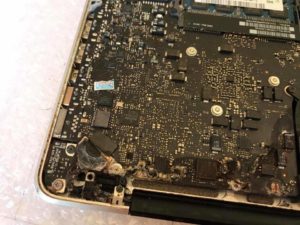
In this example Fernando shows us the repair and cleaning of a wet macbook, we can observe that it is a task for experienced technicians; in this case the error was on the motherboard, a part was corroded:


![How to install an Android emulator for Mac [Guide]](https://www.irepairs.es/wp-content/uploads/2023/03/emulador-android-para-mac.jpg)